Break the enemy fleet
Each faction fields a carrier and two or three destroyers. Escort your ships, knock out enemy turrets and launch bays, and destroy every enemy capital ship to win the rift. No match clock.

IN DEVELOPMENT · MULTIPLAYER SPACE COMBAT
Fly a fighter in 12v12 Fleet Battles around carriers and destroyers. Defend your fleet, take theirs apart, and push the front line across a persistent galaxy.
Join the playtestMac playtests · iPhone, iPad & Apple TV controller testing
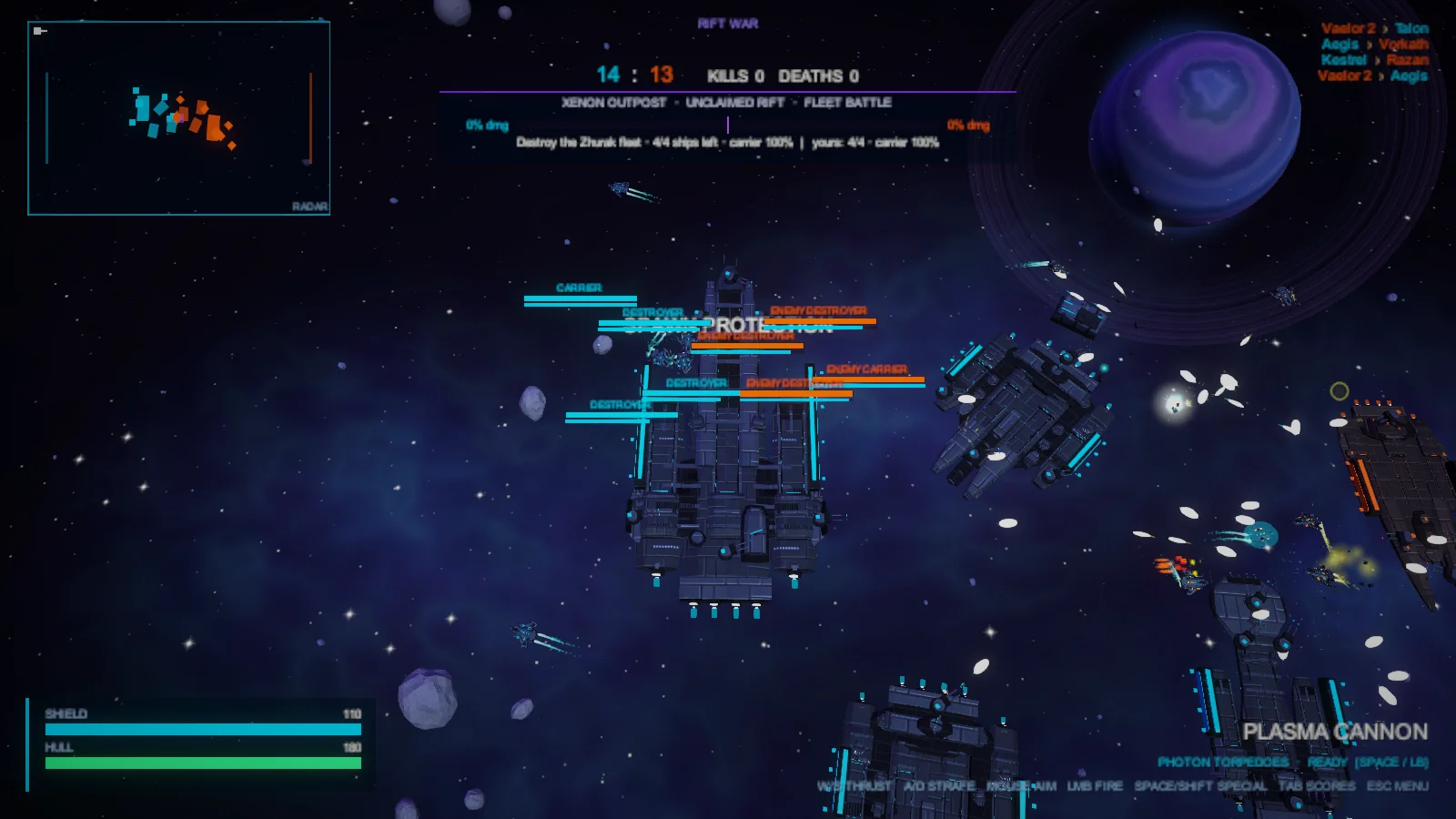
SOL ALLIANCE / ZHURAK HEGEMONY
Each faction fields a carrier and two or three destroyers. Escort your ships, knock out enemy turrets and launch bays, and destroy every enemy capital ship to win the rift. No match clock.
Pick an open front on the galactic map and drop into its battle. Victories change control of rifts. Take the enemy capital to win the war and begin a new cycle. Bots fill empty fighter slots and keep battles moving when pilots are away.
Practice Fleet Battle or Team Deathmatch against bots without an account or server connection. Online, launch from your fleet’s working bays and watch for reactor blasts and forming gravity wells.
THREE SHIPS / THREE WAYS TO FIGHT
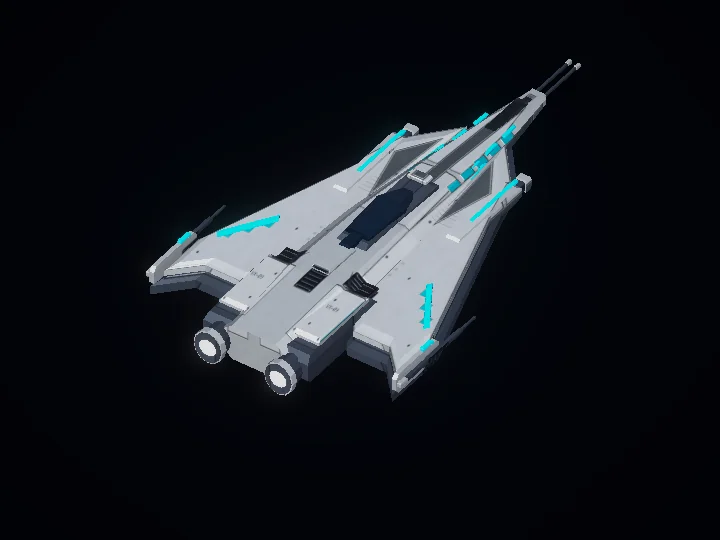
Fast and light. Pick your angle, strike, and slip away.
Dash in your movement direction to reposition. You cannot fire during the dash.
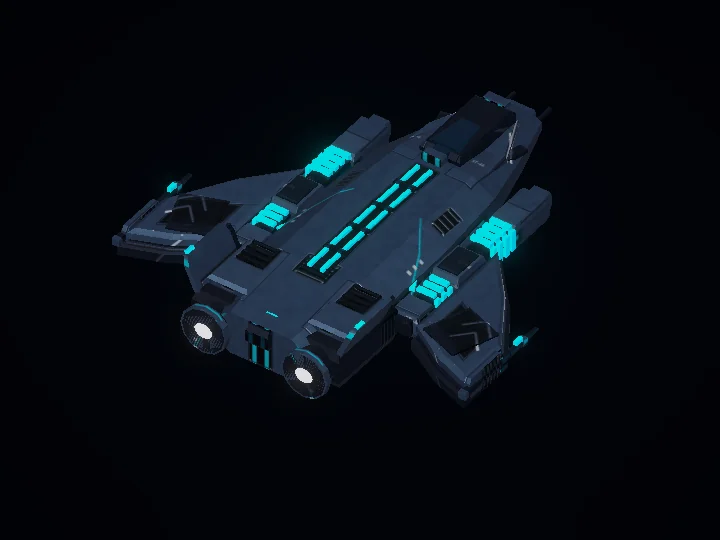
Balanced speed and firepower. A good place to start.
Temporarily increase your cannon’s fire rate to press the attack.
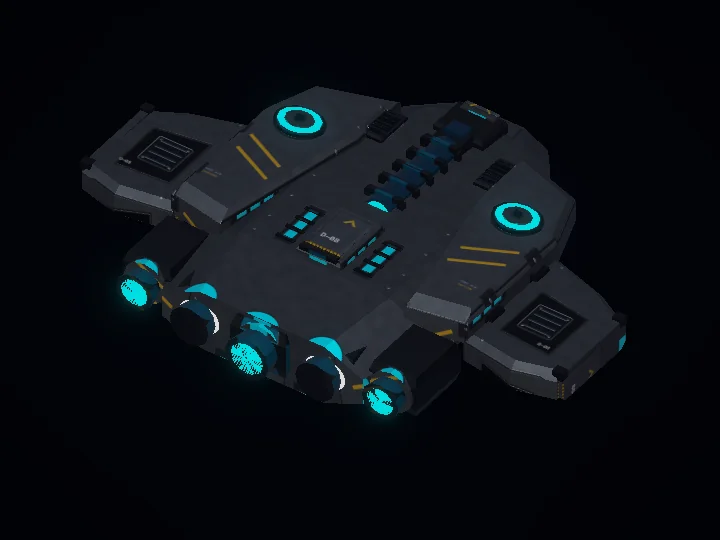
Heavy armor and shields. Trade speed for staying power.
Launch a three-torpedo salvo that hits capital ships and their subsystems especially hard.
All three ships are available in practice and online. Balance and visuals are still evolving.
YOUR FIRST FLIGHT
Xenon Rift is in active development. Contact us for current build availability and playtest instructions.
These links open your email app, not a download. Access is not guaranteed. Mac supports keyboard & mouse or gamepad. iPhone, iPad, and Apple TV gameplay requires a compatible controller; no touch flight controls yet. Siri Remote alone is not supported.
Choose your ship on the Pilot page, then start Practice. Learn movement, aiming, and your special against bots.
For online play, sign in with Google, Apple, or email. Choose a unique call sign; your profile and career stats follow your account.
Choose Multiplayer, pick an open front on the galactic map, and select Drop In. No server address to enter.
| Action | Keyboard & mouse | Gamepad |
|---|---|---|
| Thrust / strafe | W / S · A / D (ship-relative) | Left stick (screen-relative) |
| Aim / fire | Mouse / left click | Right stick / right trigger |
| Ship special | Space or Left Shift | Either bumper |
| Scoreboard | Hold Tab | Hold View / Select |
| Return to menu | Esc | Start / Menu |
Controller styles and stick options are available in Settings.
Yes. Practice runs offline against bots without signing in. Online, bots fill open fighter slots so you can join even when few people are playing.
Yes. The dedicated galaxy keeps its war state and runs battles with bots while pilots are away. Your game does not need to stay open. Offline practice is separate from the shared online war.
Use the current playtest build and check the galaxy status shown in the game’s Multiplayer menu. If a connection drops, return to the menu and try joining again. Follow the first-launch instructions supplied with your build.
Ask for help ↗. Include your device, build version, what happened, and steps to reproduce it. Do not send passwords or sign-in tokens.